

Choosing the Best Demo Trading App for Beginners and Experts
Try demo trading apps 📱 to practise stock, commodity & currency trades without risking ₹, ideal for beginners & experienced traders in India. Learn key features & tips!
Edited By
Isabella Price
Picking the right trading app with a demo account can save you big headaches down the road. Demo accounts let you trade with virtual money, helping you learn without risking your cash. Before you jump in, it’s smart to understand the basics and what to look for.
Demo accounts offer a sandbox to test strategies, get used to market moves, and learn how orders and tools work. For instance, if you’re trying out crypto trading, you can see how quick price swings affect your trades without any real loss.
Using a demo account is like getting a test drive before buying a car — you see how the app handles, how responsive it is, and whether its features suit your style.
When comparing apps, pay attention to these essentials:
User Interface: Is the app easy to navigate? Complex layouts can waste valuable time.
Real-Time Data: Look for apps that provide up-to-the-minute prices and market news.
Order Types and Tools: Can you set stop losses, take profits, or use advanced charting?
Asset Variety: Make sure it covers everything you want to trade, like stocks, forex, or cryptocurrencies.
Demo Account Limits: Some limit demo balance or expire the demo after a set time — check these before getting started.
Take thinkorswim by TD Ameritrade, for example. Its demo account includes a full suite of trading tools and simulators reflecting current market conditions. Meanwhile, Robinhood’s demo feels more stripped down but simpler to navigate for beginners.
Start with an app offering a demo that mirrors live trading as closely as possible. The closer your practice runs to the real deal, the better prepared you’ll be when it’s time to trade with real money. Remember, not all apps are created equally — test multiple demos if you have to before settling on one.
Your demo account is your training ground. Treat it as seriously as you would actual trading to build confidence and sharpen your skills without risking your bankroll.
Trading apps with demo accounts let you practice without risking real cash. This feature matters a lot, especially when entering the volatile world of stocks, forex, or cryptocurrencies. Using a demo account means you can get a real feel of the market, explore how the app functions, and understand trading tools before committing your hard-earned money.
For beginners, demo accounts offer a safe playground. You can familiarize yourself with order types—like market, limit, and stop orders—without losing anything. Imagine you’re trying to figure out how buying Apple shares works or how leverage affects your position, a demo account lets you experiment without worry.
Trying out a new trading method? You don’t want to burn money testing it live. Demo accounts let you run strategies like day trading or swing trading and see what sticks. For example, suppose you want to test a momentum-based approach on the NASDAQ. The demo lets you see results in real-time conditions minus the risk.
Trade can be intimidating. Demo accounts help build your trading confidence by offering repeated practice. You get a sense of timing, market moves, and platform navigation. Once you feel comfortable, you’re better prepared for real money trades without second guessing your moves.
Even seasoned traders can benefit. Say you've developed a new algorithm for options trading, but before deploying it live, running it in a demo app helps spot flaws. It’s like a dress rehearsal: you test tweaks in strategy performance without any financial sting.
Trading apps evolve constantly. Maybe your platform just updated its interface or added new indicators. Demo accounts allow experienced users to explore these changes fully, ensuring they understand the latest tools and how they impact trading, without risking active funds.
Hands-on experience beats theoretical knowledge. When you decide to enter unfamiliar markets—like commodities or cryptocurrencies—a demo account provides the chance to learn the ropes. For instance, if you’re transitioning from stock trading to futures, using a demo helps you grasp margin requirements and leverage differences calmly.
Using a demo account isn’t just for novices; it’s a practical tool for all traders wanting to increase their edge safely.
Bottom line: demo accounts give you the chance to learn, test, and adapt without the stress of risking real dollars. Whether you’re just starting or refining your craft, picking a trading app with a solid demo feature is a smart move.
When selecting a trading app with a demo account, certain features make all the difference between a useful trial and wasted time. These features don’t just affect your practice trades—they shape how well prepared you’ll be when you shift to real money. Let’s break down four key areas: realistic market simulation, user interface, asset variety, and educational support.
Demo accounts that closely imitate live market conditions give you the best chance to practice strategies that actually work. This means the spreads, volatility, and order execution within the demo should mimic what happens in real trades. If a demo account delivers overly simplified or delayed data, you might get a false sense of how your trades would perform, leading to tricky surprises later on.
Real-time pricing is critical to this realism. When prices update only every few minutes or less accurately, your ability to respond to market moves gets compromised. For example, if you’re day trading forex or cryptocurrencies, even a few seconds of lag can skew your entry and exit points, making the practice less reliable. A top demo account updates prices continuously, matching the live market’s rhythm so you can learn timing and execution.
A trading app's design can either ease you into learning or make it overwhelming, especially when you’re new to the scene. An intuitive layout helps you locate key tools quickly—like placing orders, setting stop-losses, or analyzing charts—without hunting through menus. Think of apps with clean dashboards, clear icons, and logical navigation, like the mobile version of TD Ameritrade’s thinkorswim or Robinhood’s straightforward design.
Customization options further enhance user experience by letting you tailor the app to your preferences. For example, you might want to arrange your screen with specific chart types or save your watchlists. Being able to adjust timeframes or color schemes can keep you engaged and reduce eye strain during long practice sessions.
A demo account should offer a broad selection of assets—stocks, forex, commodities, cryptocurrencies—to let you explore different markets and find what suits you best. For instance, if you’re curious about trading oil futures, a demo platform that offers this alongside tech stocks allows you to test strategies across markets, something crucial before committing real funds.
Beyond asset types, diverse trading instruments—like options, ETFs, or CFDs—give you more tools to learn risk management and advanced tactics. Knowing how to handle a call option versus a stock trade or navigating leveraged CFDs can make a big difference in your trading skills. The more varied your practice options, the better prepared you’ll be.
Good trading apps don’t leave you to fend for yourself. Robust educational content, such as video tutorials, live webinars, and step-by-step guides, can clarify complex concepts and keep you moving forward. Apps like E*TRADE and Interactive Brokers excel here, offering plenty of materials right within their platform.
Alongside learning tools, responsive customer support matters. When you run into technical issues or have questions about demo features, quick access to knowledgeable reps through chat or phone can save valuable time. This helps you stay in the game rather than getting stuck guessing what went wrong.
Remember, the best demo experience mimics real trading not just in numbers but in support and usability. Picking an app that covers these key features will help you build skills confidently and practically before risking real money.
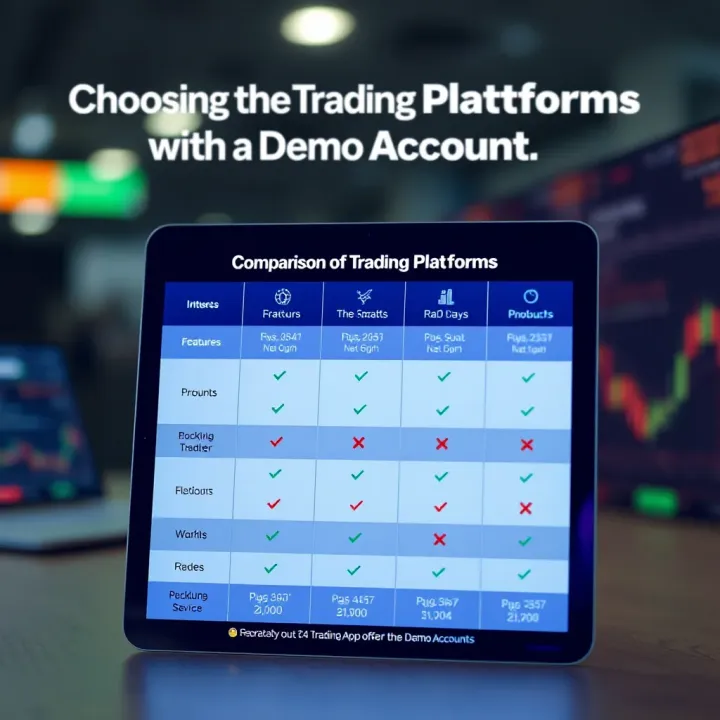
Picking the right trading app means more than just grabbing the one with a flashy interface. Comparing popular apps that offer demo accounts helps you find a platform that fits your specific trading style and goals. This section breaks down the practical strengths and limitations of three well-known apps, helping you spot which might suit you best before risking real money.
App A stands out with extensive market coverage, offering access to stocks, forex, commodities, and cryptocurrencies. This broad mix means you can try trading across different markets without hopping between platforms. The user experience is smooth, with a clean layout and quick navigation. Traders often appreciate its intuitive order execution which minimizes delays—a big plus when accuracy counts.
The demo account on App A comes with $100,000 in virtual funds, providing plenty of room to experiment. However, there’s a catch: the demo slightly delays market data by a few seconds, which can affect strategy testing that depends on split-second timing. Still, it’s perfect for getting the hang of market mechanics and testing initial strategies without facing real losses.
App B offers a user-friendly interface designed for beginners but robust enough for seasoned traders. It integrates educational tools like video tutorials and interactive webinars right within the app. These resources allow you to learn concepts and apply them in the demo account without switching between apps or websites.
Setting up a demo account on App B is hassle-free and fast—you only need an email and a password. This minimal barrier encourages users to dive straight into practice trading. Plus, you can instantly switch between demo and live accounts, making it handy to compare your progress with real market conditions.
App C specializes in cryptocurrency and forex trading, offering over 50 currency pairs and 100 cryptocurrencies. This variety gives crypto enthusiasts and forex traders a playground to test new strategies across volatile assets. Although it lacks extensive stock options, its niche focus makes it popular among traders looking for specialized markets.
The demo account simulates live conditions very closely, including realistic spreads and occasional slippage. This makes App C’s demo particularly useful for practicing strategies under tight market constraints. However, the demo comes with a smaller virtual balance, which might restrict how much you can practice complex or high-risk trades.
Bottom line: Comparing these popular trading apps with demo accounts lets you see where each shines and where they might fall short. The best choice depends on your trading preferences, whether it's broad market access, ease of learning, or specialized instruments with realistic trading conditions.
Starting with a demo trading account is a smart way to get your feet wet without risking real money. It gives you a safe setting to explore how trading works and to develop skills before diving into live markets. But to make the most of it, you need a focused approach that includes setting clear goals, testing strategies, and knowing when to switch gears.
Defining what you want to achieve with your demo account is key. Maybe your goal is to understand how order types work or to get comfortable navigating the app’s interface. Or perhaps you're aiming to consistently make profitable trades based on a mix of technical analysis and news events. Having these specific goals prevents you from wandering aimlessly and turning your practice into random clicking.
Tracking your progress is just as important. Keep a simple journal or spreadsheet logging trades, why you made them, and what the outcome was. For example, if you notice that your trades during high market volatility often fail, that’s a learning point. Review these logs weekly; spotting patterns helps sharpen your skills and builds discipline—an asset for when you go live.
Demo platforms let you craft and test trading strategies without pressure. Say you've read about a moving average crossover system—your demo account is the perfect place to try it out. You can experiment with different indicators, time frames, and stop-loss placements to see what fits your style.
But remember, no strategy should be set in stone. After each test period, review the results and ask: did this approach work in trending markets? What about choppy ones? Making adjustments based on feedback improves your edge and ensures you’re not just spinning your wheels.
Knowing when to shift from practice to real money can be tricky. If you’re hitting your demo goals reliably over several weeks or months and feel confident managing risk, it may be time to step up. However, patience pays off; rushing because demo trading feels easy can lead to costly mistakes.
Handling the emotional side is critical when moving to live accounts. Real money brings real stress. Even if you nailed demo trading, expect jitters, especially after losses. Plan ahead by starting with small dollar amounts and stick to the risk limits you practiced. This helps keep emotions in check and prevents knee-jerk reactions.
Getting started the right way with a demo account isn’t just about clicking buttons—it’s about building thoughtful habits, learning from mistakes, and preparing yourself mentally for real trading challenges.
By focusing on clear goals, refining strategies carefully, and managing your mindset, you’ll set yourself up for smooth progress from demo to live trading success.
Many traders jump into demo accounts thinking it’s just a casual playground, but this mindset can lead to costly mistakes down the line. Using a demo account without fully understanding its limits or proper practices risks creating habits that don’t translate well to live trading. Let’s look at some of the most common errors and how they impact your trading journey.
One of the biggest traps is feeling overconfident because demo trading removes financial risk. When trades don’t cost real money, it’s easy to take bigger chances or ignore trade management rules. For example, someone might open wildly speculative positions on a demo platform, thinking "Hey, if I lose, it’s not real." But this attitude can backfire when live money is on the line, triggering emotional responses that weren’t tested in the demo. Remember, actual stakes heighten anxiety and pressure.
Demo accounts often execute trades instantly at displayed prices, but real markets aren’t always that smooth. Slippage—when the execution price differs from the intended price—can catch new traders off guard. A trader might think they’re placing orders exactly as planned, only to find fills differ during live trading because of liquidity or volatility. Ignoring this can lead to misestimates of profit and loss, affecting strategy reliability.
Treating demo accounts like a game rather than a practice ground can stunt growth. Skipping setups, ignoring stop-loss orders, or trading impulsively without a plan mirrors poor habits that fail in live markets. Without disciplined routines—even when there’s no real money involved—traders miss out on developing consistent decision-making skills essential for success.
Trading demo without reviewing performance is like throwing darts blindfolded. Traders sometimes rush through demo practice without analyzing what works or doesn’t. Failing to adjust strategies based on demo outcomes wastes the chance to fine-tune approaches. For instance, a swing trading plan might seem solid until demo data shows recurring losses during certain market conditions. Without adjusting, the trader can carry flawed tactics live.
Demo accounts usually come packed with tutorials, webinars, and tools designed to boost knowledge. Ignoring these is a missed opportunity. Some platforms offer built-in economic calendars or technical analysis widgets that help traders learn beyond simple order placement. Those who skip these resources might struggle to grasp market drivers and technical setups.
Every trader has unique preferences for charts, indicators, and alerts. Demo accounts let you experiment with these settings without any downside. Not exploring customization means you risk starting live trading without your best setup in place. For example, setting up real-time alerts for price levels or using tailored chart layouts can improve reaction time, a crucial edge in trading.
Taking demo trading seriously, understanding its limits, and fully using your app’s features create a strong foundation. This preparation sharpens skills, manages expectations, and narrows the gap to successful live trading.
Try demo trading apps 📱 to practise stock, commodity & currency trades without risking ₹, ideal for beginners & experienced traders in India. Learn key features & tips!
🔍 Looking for a trusted trading app in India? Discover how to pick secure, user-friendly platforms with top features & strong customer support.

Explore top commodity trading apps in India📱 with key features, low costs, strong security, and easy setup—perfect for beginners aiming to trade confidently and smartly!
📈 Master key trading chart patterns to analyse market moves confidently. Learn how to spot signals and apply them wisely in your trading strategy for better results.
Based on 11 reviews