

Understanding Number Systems: Binary to Hex Explained
🌐 Explore the core number systems: binary, decimal, octal & hexadecimal. Understand their features, conversions & tech uses for everyday math clarity. 🔢
Edited By
James Carter
Computers speak in a language made of zeros and ones—the binary number system. Unlike our usual decimal system with digits from 0 to 9, binary uses just two symbols: 0 and 1. This simplicity is what makes it perfect for machines, allowing precise representation and processing of all kinds of data.
At its core, each binary digit—called a bit—represents a power of two. Starting from the right, the first bit represents 2⁰ (which equals 1), the next 2¹ (2), then 2² (4), and so forth. Numbers and instructions get translated into long strings of bits, which a computer’s hardware can easily read and manipulate.

The binary number system forms the backbone of everything a computer does, from displaying stock prices to running complex algorithms.
Reliability: Electrical circuits in computers have two distinct states — on or off, high voltage or low voltage — corresponding naturally to 1s and 0s, reducing errors during data transmission.
Efficiency: Binary’s simplicity means computers can process data quickly and use simpler hardware components compared to other number systems.
Consistency: All data types—numbers, text, images, sound—can be converted into binary, making it a universal standard in computing.
For example, when analysing market data or running cryptocurrency transactions, computers convert complex figures into binary to perform calculations rapidly and accurately.
Files saved on your computer or mobile device—whether spreadsheets showing financial trends or crypto wallets—are stored in binary. The central processing unit (CPU) reads these binary codes to execute instructions, while memory chips store them temporarily or permanently.
Each bit's position and value determine the overall number or character it represents. Combining multiple bits builds the foundation for bytes (eight bits), the next common unit, which can express 256 different values—enough to encode letters, digits, and control commands.
Understanding this system helps traders and financial analysts appreciate how digital data reliability and speed hinge on binary coding techniques. It also explains why fundamental computing tasks often feel seamless despite handling massive volumes of data.
By grasping the binary system’s principles, you can better understand how computers power the financial ecosystems and cryptocurrencies you deal with daily.
Understanding the basics of the binary number system is essential for anyone keen to grasp how computers handle data. This foundation not only explains the language computers speak but also why they rely on a format different from everyday decimal numbers. For traders and investors especially, knowing this helps in comprehending how financial software, trading platforms, and cryptocurrency computations function behind the scenes.
The binary number system uses only two symbols — 0 and 1 — to represent all values. Unlike the decimal system, which has ten digits (0 to 9), binary counts using powers of two. This means each position in a binary number corresponds to 2 raised to the power of its place index, starting from zero on the right. For example, the binary number 101 represents (1×2²) + (0×2¹) + (1×2⁰), which equals 5 in decimal.
This simple base-2 structure is practical for computers because it matches the two-state nature of electronic circuits — on and off. It allows computers to process and store complex data efficiently.
While the decimal system is intuitive for humans, binary suits machines better. Decimal operates in base 10 with digits 0-9, octal uses base 8, hexadecimal uses base 16 (digits 0-9 and letters A-F). Each has its uses but binary remains fundamental in computing due to its straightforward logic.
For example, hexadecimal often helps represent binary in a more compact, human-readable form, but the underlying processing still happens in binary. This layered approach is common in trading software that displays complex data but processes it at the binary level, ensuring speed and accuracy.
Binary digits, or bits, are the smallest units of information in computing. Each bit can be either 0 or 1, representing off or on states respectively. These two simple values can combine in thousands or millions to express complex instructions or store massive data.
Think of bits like tiny switches; turning them on or off creates patterns that the computer interprets. This on/off mechanism allows hardware circuits to work reliably even under varying electrical conditions, which is crucial for stock market servers and cryptocurrency nodes where consistency is key.
Each bit's position determines its value, increasing by powers of two from right to left. For example, the 8-bit binary number 11001010 equals (1×128) + (1×64) + (0×32) + (0×16) + (1×8) + (0×4) + (1×2) + (0×1), which sums to 202 in decimal.
These bits together can encode not just numbers but also characters, instructions, or images through different encoding schemes. This encoding flexibility is why digital financial records, charts, and analytics in trading platforms can be faithfully stored and quickly retrieved.

Bit-level understanding is key for grasping how every digital transaction, whether a stock trade or cryptocurrency transfer, is executed and recorded.
Binary uses only two digits: 0 and 1
Positions in a binary number correspond to powers of two
Bits act as basic on/off switches within computers
Collectively, bits represent complex data in financial and tech systems
Grasping these fundamentals prepares you to appreciate how modern computing infrastructure reliably processes and stores critical financial data.
Computers rely on the binary number system primarily because it aligns well with how electronic devices operate at a basic level. Unlike humans who find the decimal system more intuitive, machines are built to handle two distinct states efficiently—on and off. This difference shapes how computers process and store information.
Computers use electrical circuits where a wire can either have voltage or not. This fits naturally with binary’s two states: 1 (voltage present) and 0 (no voltage). For example, a transistor in a microprocessor switches either on or off, corresponding exactly to these binary digits. This simplicity makes it easier for hardware to detect and differentiate signals, reducing errors caused by electrical noise.
Beyond physical signals, binary’s logic operations reflect real-world circuit behaviour. Logic gates (AND, OR, NOT) perform simple binary functions, forming the foundation of computing processes. The way computers handle data through these gates would be far messier if more states or symbols were involved.
The fewer states a circuit has to manage, the more reliable and faster it becomes. A system that tries representing decimal eight or ten states per signal line would require much more complex and costly hardware. It also increases chance of failure or misinterpretation due to subtle voltage shifts.
Binary’s simplicity allows for error detection and correction methods that improve data integrity. For example, parity bits and checksums leverage two-state signals to spot mistakes in transmission or storage, helping maintain a stable computing environment.
Humans use the decimal system largely because we have ten fingers. It’s user-friendly for everyday calculations but less efficient for machines. Hexadecimal adds more symbols (16) in a compact form, often used by programmers to represent binary data easily since one hex digit maps neatly to four binary digits.
Still, neither decimal nor hexadecimal suit the physical world of electronic circuits as naturally as binary. They serve more as shorthand or interface tools rather than core processing formats.
Binary’s main edge lies in its compatibility with electronic devices. Managing two stable states helps computers run processes faster with lesser risk of errors. Also, binary arithmetic is straightforward to implement in hardware, supporting operations essential for everything from simple calculators to advanced processors.
On top of that, binary underpins all memory storage mechanisms. Whether it is RAM, hard drives, or SSDs, data is represented and manipulated in bits. This uniformity streamlines manufacturing and maintenance.
The binary system is not just a convenient numbering method but a practical necessity shaped by how electronic systems work, ensuring computing remains efficient, reliable, and scalable.
Understanding why computers use binary helps investors and traders appreciate the technical backbone of the devices they rely on for market data and transactions. Knowing how hardware handles data can inform decisions around tech stocks or investments in semiconductor companies, which hinge on these fundamental principles.
Understanding how binary numbers operate within computers is key to grasping their overall functioning. At its core, the computer treats every piece of information as combinations of 0s and 1s, or bits. These bits allow computers to perform calculations, process instructions, and handle data efficiently through simple on/off electrical states. This section explains how binary arithmetic underpins computing tasks and how binary codes translate into machine operations at the hardware level.
Computers perform arithmetic just like we do but using binary numbers. Addition, subtraction, multiplication, and division all happen using 0s and 1s instead of the usual decimal digits. For example, binary addition follows rules similar to decimal but simpler due to only two digits: 0 + 0 = 0, 1 + 0 = 1, 1 + 1 = 10 (which is 0 with a carryover 1). This simplicity helps hardware circuits execute operations quickly with high accuracy.
Binary subtraction works through a process called "borrowing" much like decimal subtraction, but limited to base two. Multiplication and division also rely on repeated addition and subtraction but use shifts and other bit-level manipulations for efficiency. These fundamental operations are the building blocks behind complex computing functions, making them extremely relevant for traders and analysts who depend on rapid data processing.
For instance, when calculating financial indicators or real-time stock prices, computers repeatedly run millions of these binary operations within split seconds. Understanding this process helps appreciate how technology supports fast, precise market analysis.
Binary code is the language that computers understand directly. Every instruction executed by a computer, from simple arithmetic to complex algorithms, is encoded in binary. This code commands the hardware on what action to perform next. Translating a high-level programming language down to binary is done by compilers and assemblers, creating machine instructions tailored for the processor architecture.
Each binary instruction typically comprises two parts: an opcode that defines the operation (such as add, load, or jump) and operands which point to data or memory addresses. For example, a binary instruction might tell the CPU to add two numbers stored in registers or move data between memory and processor. This precise, low-level control ensures that computers remain versatile and efficient.
The central processing unit (CPU) plays a crucial role here. It fetches these binary instructions, decodes them, and executes accordingly. In Indian trading platforms processing hundreds of trades per second, this rapid fetch-decode-execute cycle makes all the difference. The CPU uses specialised circuits such as the arithmetic logic unit (ALU) to handle binary arithmetic while control units handle instruction sequencing.
The smooth execution of binary instructions within the CPU forms the backbone of all computing tasks, from running your favourite trading apps to conducting high-frequency market analysis.
In summary, binary arithmetic operations enable fundamental calculations, while binary machine instructions direct every hardware activity. Together, they keep computers running seamlessly, supporting the technology-driven world of finance and investment today.
Representing data in binary is fundamental to how computers function. This system encodes all forms of information—numbers, text, images—using just two symbols: 0 and 1. Understanding how computer memory interprets these 0s and 1s helps explain why machines rely on binary, enabling you to grasp computing's core principles.
Computers store numbers in binary form, affecting everything from simple calculations to financial modelling. For integers, binary representation is straightforward: each bit corresponds to a power of two. For example, the decimal number 13 is stored as 1101 in binary, where the bits represent 8 (2^3), 4 (2^2), 0 (2^1), and 1 (2^0) respectively. This precise method allows systems to process large numbers quickly and accurately.
When it comes to decimal fractions and scientific calculations, floating-point representation comes into play. This method splits numbers into a mantissa and an exponent, both stored in binary. It helps computers handle very large or small numbers efficiently, crucial for algorithms in stock market analysis and risk modelling.
Text data uses fixed standards like ASCII and Unicode to translate characters into binary codes. ASCII encodes common English characters into 7 or 8 bits, enough for basic communication and programming. However, it falls short for languages with special characters or scripts, such as Hindi or Tamil.
Unicode fills this gap, providing a much broader character set that covers multiple languages and symbols. This makes Unicode essential for globalised applications and data exchange, ensuring text displays correctly across platforms. For example, Unicode assigns unique codes to characters like ₹ (Indian Rupee symbol) and emojis, letting software process and render them properly.
Memory in computers is organised into bits and bytes—where a bit is a single binary digit, and a byte consists of 8 bits. Bytes are the basic unit used to measure and store data size. For instance, your smartphone’s photo might be 3 megabytes (MB), meaning roughly 24 million bits arranged in groups to represent the image.
The binary system allows memory to track and access these bits efficiently. Address lines in memory modules point to exact byte locations, enabling fast retrieval or storage. This organisation supports quick processing essential for real-time applications like trading platforms.
Hard drives and flash memory store data using binary states that correspond to electrical or magnetic conditions. Traditional hard drives change the magnetic orientation of tiny sectors on a disk platter to represent 0 or 1. Flash memory, commonly used in SSDs and USB drives, stores charge levels in cells to hold binary values.
Both storage types rely on stable binary encoding to preserve data even when powered off. This reliability is vital for investors who store sensitive information like transaction records or market models securely.
The precision and efficiency of binary data representation empowers computers to handle vast and varied data types, making modern computing and complex financial systems possible with high accuracy and speed.
The binary number system is not just a theoretical concept; it forms the backbone of practically every digital device we use. Understanding its real-world applications helps grasp why it remains indispensable in modern computing. From processors that run your favourite apps to the communication protocols that connect devices, binary logic powers it all. This section focuses on how binary functions within hardware and software, influencing daily computing experiences.
At the heart of every processor and digital circuit lie binary logic gates. These gates perform basic operations — AND, OR, NOT — using binary inputs (0s and 1s) to control the flow of electric signals. For example, a CPU (central processing unit) executes instructions by manipulating these binary states, allowing complex computations to unfold from simple yes/no decisions. This simplicity in design leads to high reliability and efficiency in devices ranging from smartphones to supercomputers.
Communication protocols and networking also rely heavily on binary data. When you send a message or transact online, the information is broken down into binary sequences that travel through networks. Protocols like TCP/IP manage these bits, guaranteeing that data reaches its destination with integrity. In Indian contexts, technologies like 4G/5G mobile networks and broadband connections transmit binary-coded information to enable seamless streaming, VoIP calls, and online trading platforms.
Programming languages interact with binary either directly or through abstraction layers. At the lowest level, machine code is pure binary, but higher-level languages like Python, C++, or Java convert human-readable commands into binary instructions that the machine understands. Developers working in fintech, for instance, rely on this translation process to build secure software for stock trading algorithms or cryptocurrency wallets.
Debugging software involves handling binary data to locate errors or optimise performance. Tools such as debuggers and hex editors allow programmers to inspect binary files and memory contents, critical when dealing with encrypted transactions or blockchain ledgers where precision matters. Efficient binary data handling is essential to maintain data security and application integrity, especially in fast-moving financial environments.
Binary's role extends beyond raw computation — it shapes how information is stored, transmitted, and secured, influencing everything from device hardware to the software controlling financial markets.
🌐 Explore the core number systems: binary, decimal, octal & hexadecimal. Understand their features, conversions & tech uses for everyday math clarity. 🔢
💻 Understand binary numbers, how they work, convert between binary & decimal, and explore their practical use in computing and programming today! 🔢
Explore how binary numbers work, with clear steps for decimal-binary conversion, arithmetic basics, and their role in computing 💻 and electronics ⚙️.
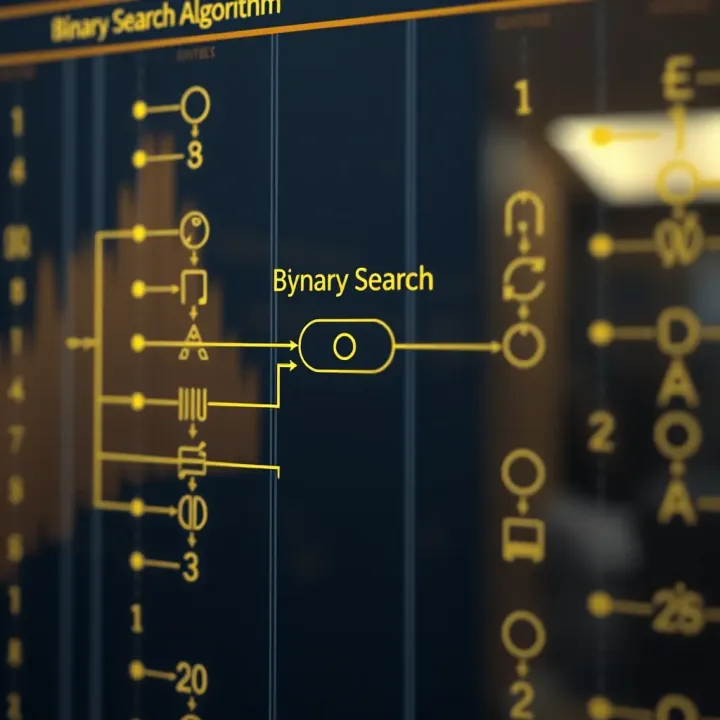
🔍 Explore how the optimal binary search technique improves search efficiency, solves common challenges, and offers practical tips for better algorithm performance.
Based on 14 reviews